
Privacy Policy popup
× Privacy Policy popup
×
 21
 14 Minutes

The best alternatives to Clipchamp depend on what you film and where you edit. Movavi Video Editor suits lifestyle and travel vloggers who want a desktop editor with AI tools, CapCut fits short vertical clips, and Filmora fits creators who post often. DaVinci Resolve covers film-style color grading, iMovie covers school projects on Apple devices, and OpenShot covers hobby vlogs on a zero budget.
If you film daily routines, trips and unboxings, have no editing experience, or cut together school projects, these six cover free video editing and paid options for PC and for Mac.
| # | Product | Best for | Platforms | Free version | Starting price |
| 1 | Movavi Video Editor | Lifestyle vlogs and travel videos | Windows, macOS | Yes (60-second cap, watermark) | $19.95 a month |
| 2 | CapCut | Short vertical lifestyle clips | Mobile, web, desktop | Yes (watermark with Pro content or AI clips) | $19.99 a month |
| 3 | Filmora | Lifestyle bloggers who post often | Windows, macOS | Yes (watermarked exports) | $4.17 a month |
| 4 | DaVinci Resolve | Travel and cinema-review creators who grade color | Windows, macOS, Linux | Yes (no watermark, no time limit) | $295 one-time (Studio) |
| 5 | iMovie | Students on Apple devices | Apple devices | Entire app is free | Free |
| 6 | OpenShot | Hobby vlogs on a zero budget | Linux, Mac, and Windows | Entire app is free | Free |
We kept editors a beginner can realistically use, and judged each on four points:
Clipchamp is Microsoft’s browser-based editor, built into Windows 11 and Microsoft 365. It runs out of room quickly:
Free export reaches 1080p with no watermark, and free AI covers auto subtitles, silence removal and noise reduction. The timeline is clear to beginners, screen and webcam recording are built in, and a free music library and ready-made templates come with it. If your videos are short and your internet is fast, Clipchamp may be all you need.
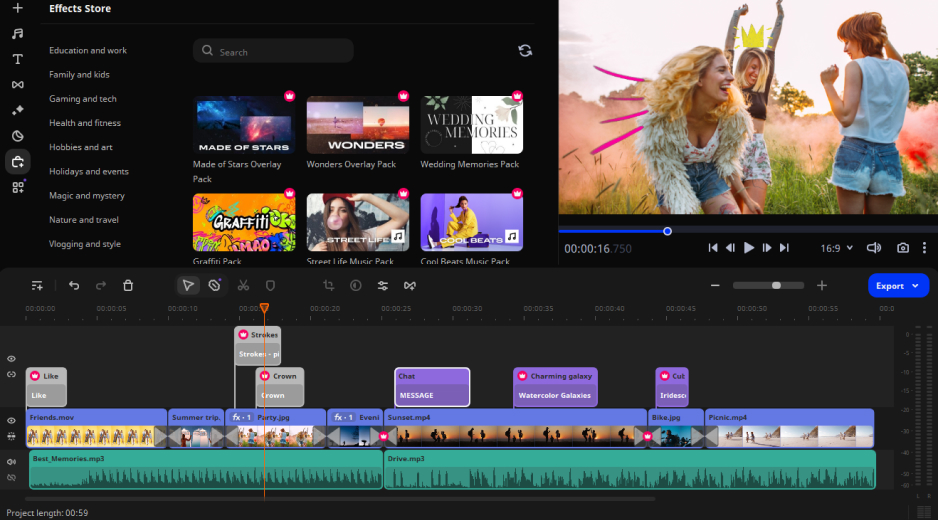
Best for: lifestyle vlogs (daily routines, unboxings, travel videos).
Why we picked it: Movavi Video Editor is an intuitive video editor with customizable video templates, one-click AI tools, and hundreds of drag-and-drop effects. Its AI noise removal pulls traffic, wind, and steady hum back while keeping your voice sharp, so the very first playback of your travel vlog already has your voice up front and the street pushed back. The drag-and-drop workflow and hover previews keep the rest of the edit quick, and if you’re brand new, the free Movavi Ideas hub publishes a fresh editing idea with a step-by-step tutorial every week. Unlike Clipchamp, Movavi removes the background behind a person in video, reframes with subject tracking and clears video noise in one click. Every AI tool sits in the full version, with no credit system.
Key features:
Pros:
Cons:
Price and platforms: Windows and macOS. Movavi Video Editor Free exports up to 60 seconds with a watermark; the full version starts at $19.95/month. A desktop app for Windows and macOS.
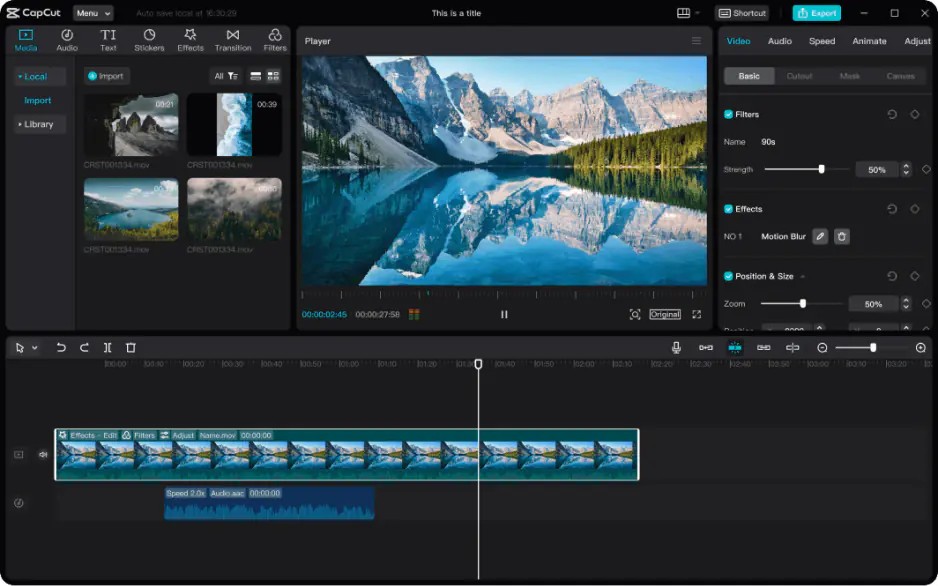
Best for: short vertical lifestyle clips for TikTok, Reels and Shorts.
Why we picked it: CapCut is a mobile-first editor that also runs on desktop and the web, so a clip started on your phone can be finished on a bigger screen. Next to Clipchamp’s basic effects, it adds keyframe animation, chroma key, speed ramping and a large library of trending templates. The best assets are marked Pro and need a subscription, and AI actions spend credits.
Key features:
Pros:
Cons:
Price and platforms: Pro costs $16/month per member billed annually, or $24 billed monthly, with a Business plan above it. Works in a browser.
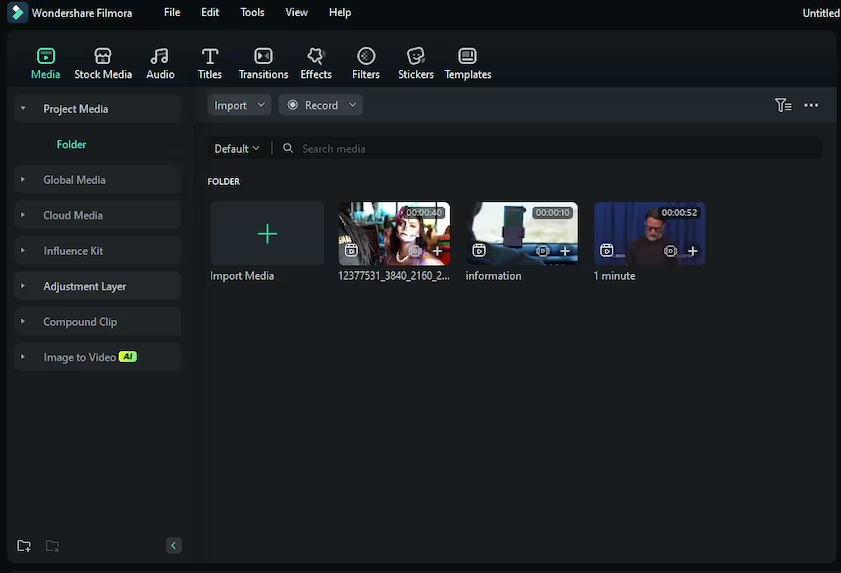
Best for: lifestyle bloggers who post often and want AI tools.
Why we picked it: Filmora is an AI-focused desktop editor for Windows and macOS that runs even on a mid-range laptop. Where Clipchamp stops at a simple timeline, Filmora adds multitrack editing, keyframe animation and motion tracking. AI features run on credits, and the Effects Store is a separate subscription.
Key features:
Pros:
Cons:
Price and platforms: basic plan from $49.99/year, with Advanced above it for more AI credits. Windows and macOS.
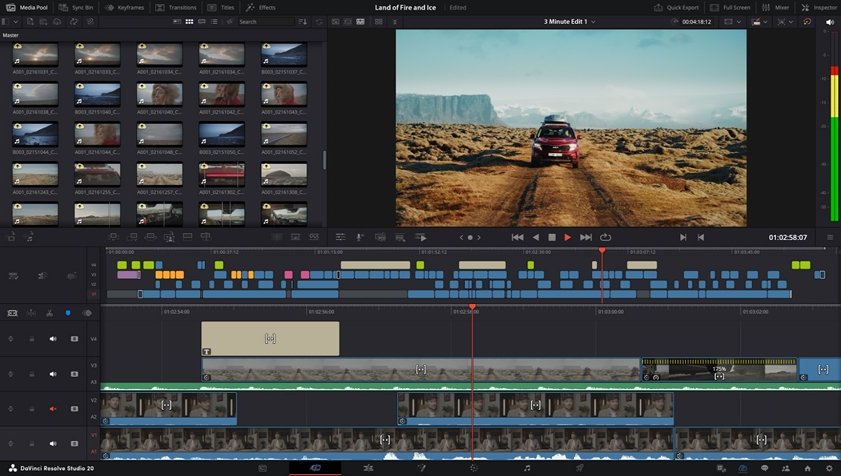
Best for: travel and cinema-review creators who want film-style color grading.
Why we picked it: The free version has no watermark or time limit and includes nearly all editing, color, audio and effects tools. Compared with Clipchamp’s simple timeline, Resolve is an editor to grow into if you want to grade footage like a film. Beginners should expect a steep climb: tools often need fine-tuning rather than one click.
Key features:
Pros:
Cons:
Price and platforms: Windows, macOS and Linux. The free version costs nothing. Studio is a one-time purchase at $295.
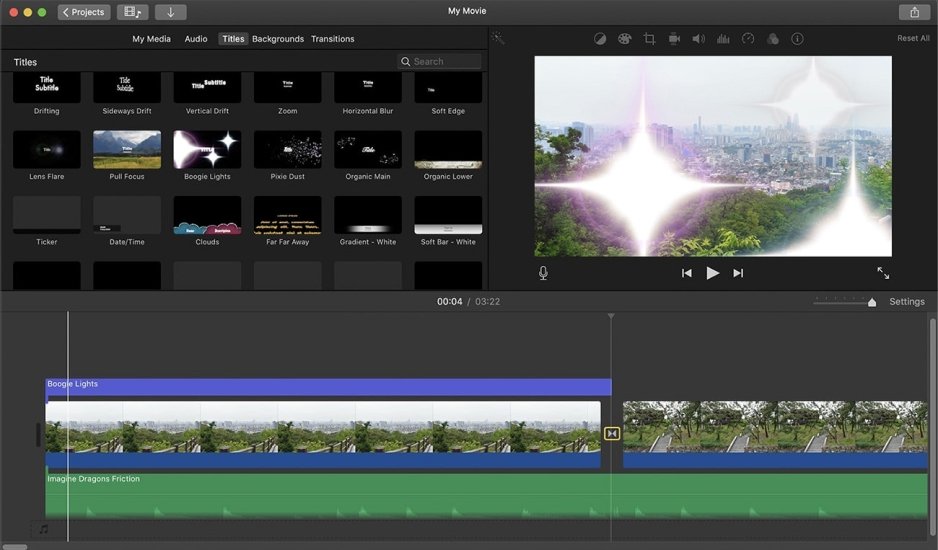
Best for: students editing school or university projects on a Mac or iPhone.
Why we picked it: iMovie is Apple’s free, simple editor, preinstalled on Apple devices. It covers basic editing, ready-made trailer templates and simple color correction, enough for a first school project. Windows 11 users cannot run it, since it is available only to Apple device owners.
Key features:
Pros:
Cons:
Price and platforms: Apple devices only. Free.
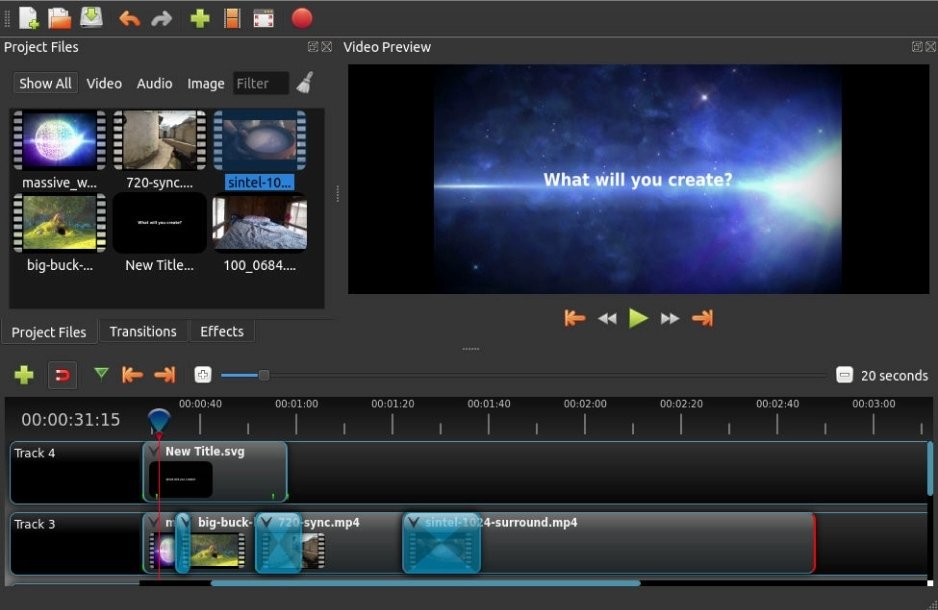
Best for: hobby lifestyle vlogs on a zero budget.
Why we picked it: OpenShot is a free, open-source editor, so cost is its whole appeal. It covers basic editing, keyframes and simple transitions, enough for a hobby vlog. Clipchamp brings basic AI and a bigger media library; OpenShot brings no price tag and practically no AI.
Key features:
Pros:
Cons:
Price and platforms: Linux, Mac, and Windows. Free.
Budget decides the rest. For a cheap start, iMovie and OpenShot cost nothing and Resolve is free until you want Studio. Movavi Video Editor starts free and lets you add effects or templates as projects grow, while CapCut and Filmora ask for a plan once you want clean exports.
Pick the editor that matches your next video, download its free version, and cut one real clip: a morning routine or a weekend trip works. One finished project will tell you whether the interface suits you.
Yes, two on this list. DaVinci Resolve’s free version has no watermark or time limit, and iMovie is completely free with no watermark or limits. iMovie needs an Apple device, and Resolve needs a computer that can handle its demands.
Movavi Video Editor is rated easy: it adds a how-to center, guides and tooltips inside the interface. CapCut and Filmora are medium, because of their many tools and settings. DaVinci Resolve is rated hard.
For video, it handles MP4, MOV, AVI, MKV and WMV. For audio, it supports MP3, WAV and FLAC on import and export.
Not all of them. Movavi Video Editor runs even on low-end PCs, and Filmora runs on a mid-range laptop. DaVinci Resolve is resource-intensive, and high-end hardware is recommended.
DaVinci Resolve Studio is a one-time purchase, and Filmora offers a perpetual license. Movavi Video Editor is sold as a monthly or annual subscription.