
Privacy Policy popup
× Privacy Policy popup
×
 13
 17 Minutes

Choosing a YouTube outro maker comes down to where you edit and how much you want to learn. On a PC or Mac, Movavi Video Editor and Filmora can build the closing of a video; on a phone, Movavi App and CapCut do it in a few taps; in a browser, Adobe® Express® and Kapwing get you a branded closing card.
An outro is the closing part of your video: your logo, a thank-you line, and a nudge toward the next upload, often shown over the end screen, the last stretch where viewers pick what to watch next. This list is written for lifestyle bloggers, game and gadget reviewers, and any creator posting tutorials who wants a branded closing without a long learning curve.
We looked at one job: giving a YouTube video a closing that carries your channel branding. Every outro maker was checked against five criteria:
| Tool | Best for | Free version | Starting price |
| Movavi Video Editor | Lifestyle vlogs, reviews, and tutorials on a PC or Mac | Yes | $19.95 for one month |
| Filmora | Channels that post often | Yes | $49.99 per year |
| Adobe® Express® | Animated outro cards for lifestyle channels | Yes | $9.99 per month |
| Kapwing | Tutorials with multilingual subtitles | Yes | $16 per month, billed annually |
| iMovie | A first YouTube tutorial for students | Yes | Free |
| OpenShot | Simple school projects on a budget | Yes | Free |
| Final Cut Pro | iPhone and pro-camera footage for YouTube on a Mac | 90-day trial | $299.99 one-time |
| DaVinci Resolve | Film-grade color for experienced editors | Yes | Free; Studio $295 one-time |
| Movavi App | Social reels cut on an iPhone | Yes, with in-app purchases | $1.99 |
| CapCut | Shorts and Reels with a quick vertical closing | Yes | $9.99 per month |
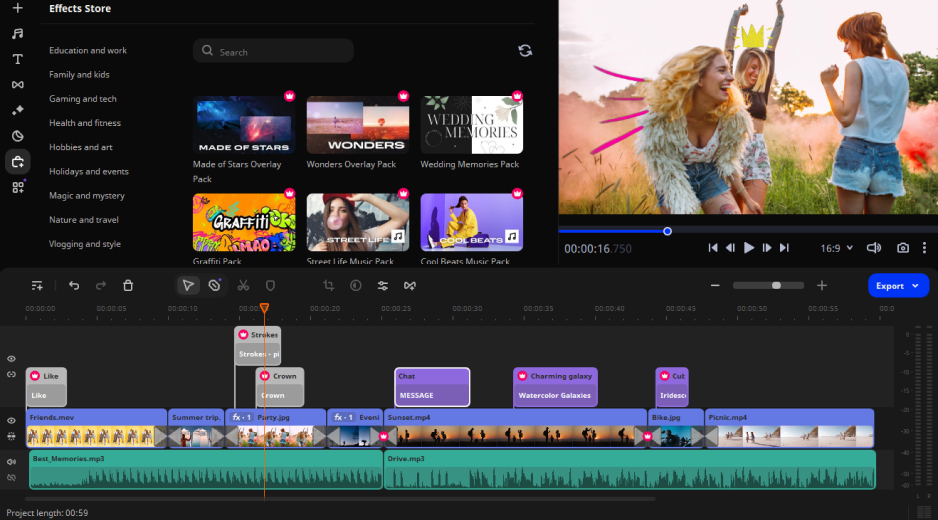
Best for: lifestyle vloggers, game and gadget reviewers, and tutorial makers who want a ready-made closing on Windows or Mac.
Price and platforms: Windows and macOS. Movavi Video Editor Free, Movavi Video Editor Lite, and the full version from $19.95/month. Movavi Video Editor Free exports with a watermark and a length cap. Movavi Effects and Movavi Templates are optional subscriptions on top.
Why we picked it: Movavi Video Editor is an intuitive video editor with customizable video templates, one-click AI tools, and hundreds of drag-and-drop effects. It’s a desktop app for Windows and macOS, trusted by 70M+ users worldwide. Your outro can start as a ready-made project instead of an empty timeline. Movavi Video Templates is a multi-style library of customizable, pro-looking, modular templates for any kind of video.
Each template comes with pre-set editing, music, transitions, and text, and it’s built from Blocks: short, pre-edited segments, where you drop in your own content. Point at a clip, effect, or transition and an instant preview appears before you apply anything. Hundreds of built-in effects cover every style from vlog to holiday, and the one-click AI tools handle the tedious parts. The interface is built for beginners, the free Movavi Ideas hub adds a step-by-step tutorial for a new editing idea every week, and plans run from Movavi Video Editor Free to the full version, so you pay for what you need.
Key features:
Pros:
Cons:
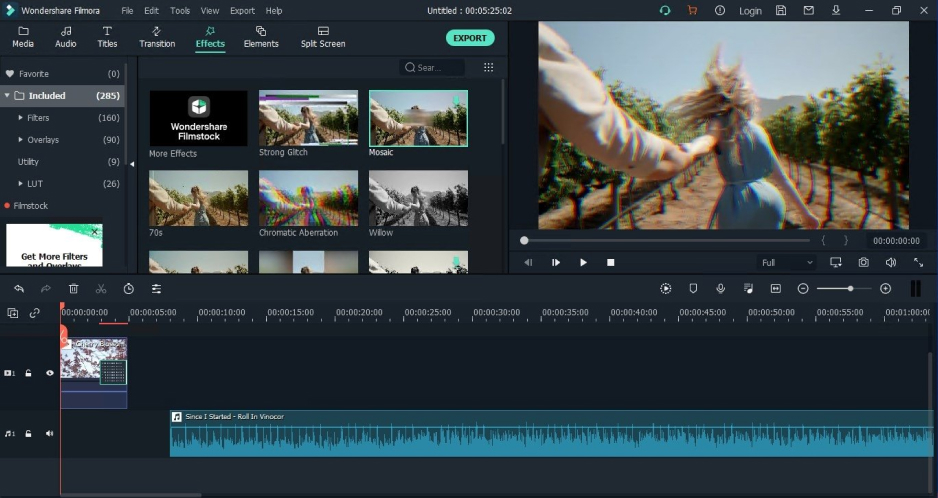
Best for: YouTubers who post often and want a deep desktop toolkit.
Price and platforms: Windows and macOS. Free tier with watermarked exports; Basic from $49.99 a year, Advanced at $59.99 a year.
Why we picked it: Filmora is an AI-powered video editor positioned as a desktop tool for serious video production. It covers intros and outros, and its ready-made templates and Instant Mode serve different occasions and formats.
Key features:
Pros:
Cons:
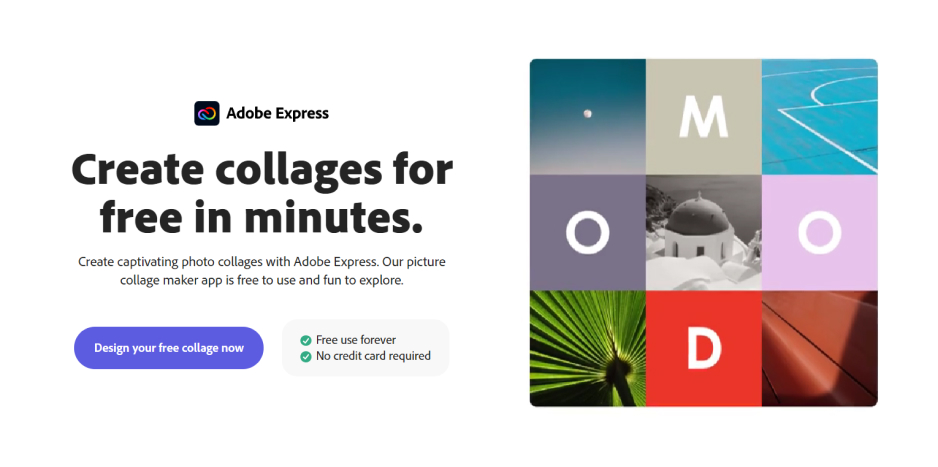
Best for: lifestyle vloggers who want a quick animated outro card for their channel branding.
Price and platforms: browser and mobile app. Free plan; Premium at $9.99 a month.
Why we picked it: Adobe® Express® is a lightweight web builder for social media and marketing materials, and it covers intros and outros. Its templates for posts, stories, and short videos are edited as a layout, right on the canvas.
Key features:
Pros:
Cons:
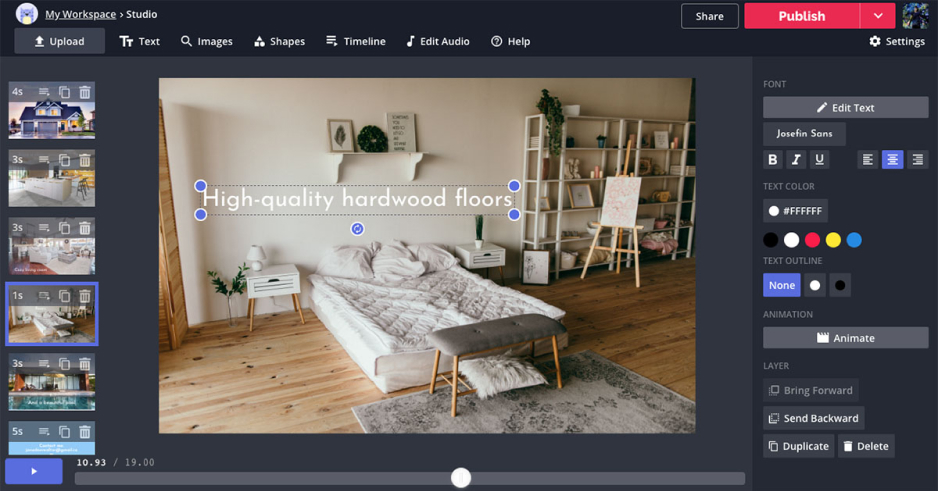
Best for: tutorial makers who need subtitles for multilingual audiences.
Price and platforms: browser. Free plan with a watermark; Pro from $16 per member per month, billed annually.
Why we picked it: Kapwing is a browser-based editor for teams and social videos, with real-time collaboration. Its Smart Cut removes pauses automatically, which tightens the spoken part before your closing.
Key features:
Pros:
Cons:
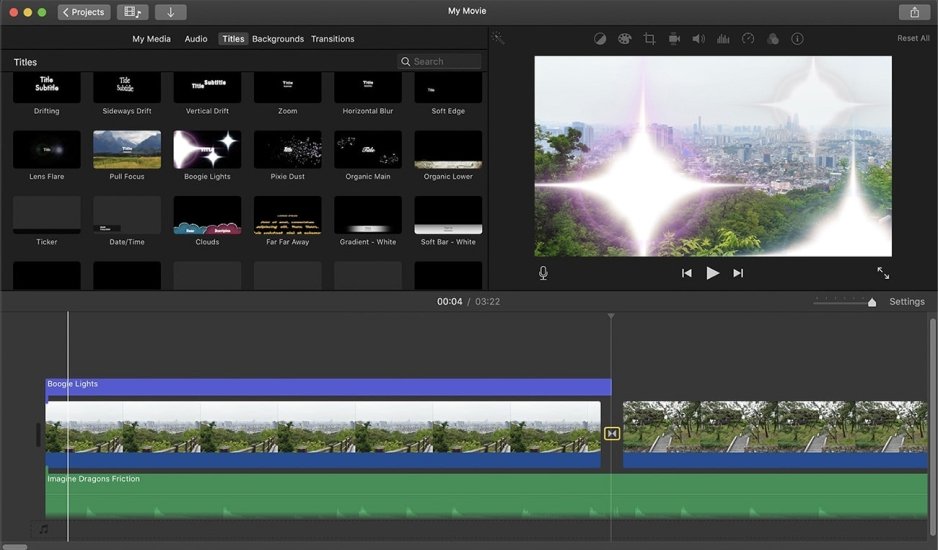
Best for: students making a first YouTube tutorial on a Mac or iPhone.
Price and platforms: Apple devices, Mac and iPhone. Free.
Why we picked it: iMovie is Apple’s free, simple editor, preinstalled on its devices and aimed at Mac and iPhone users who are just starting out. Its usual jobs are simple family videos, school projects, and first attempts at editing, which suits a student’s first YouTube tutorial. It comes with basic editing, ready-made trailer templates, and simple color correction, and it trades depth for simplicity: the library of effects and music is modest.
Key features:
Pros:
Cons:
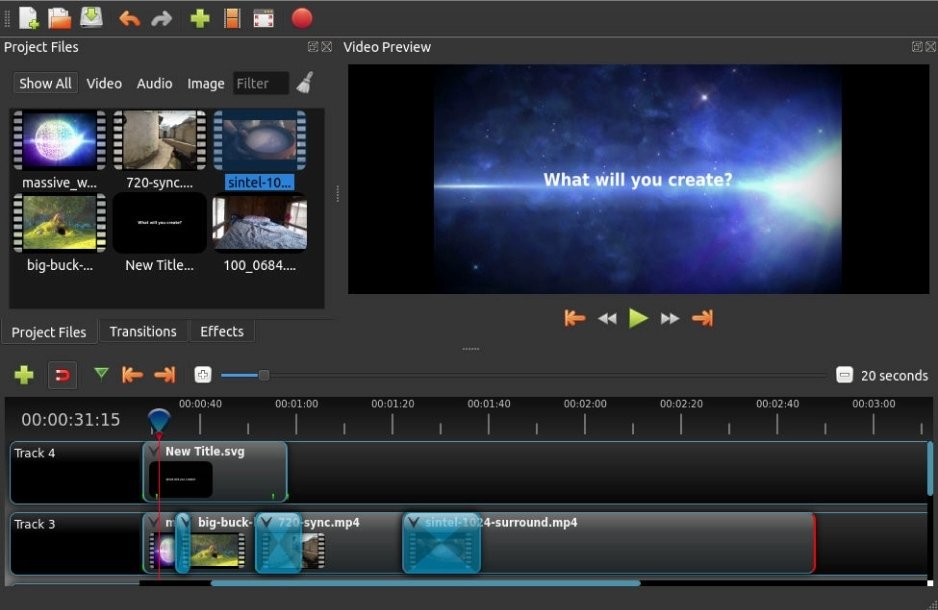
Best for: students on a budget working on simple school projects.
Price and platforms: Windows, macOS, and Linux. Free.
Why we picked it: OpenShot is an open-source editor for enthusiasts and budget users, with basic editing, keyframes, and simple transitions. Its usual jobs are simple school projects, non-commercial editing, and hobby videos, so it fits a student who wants a plain closing without paying for software. It keeps the toolset small: the built-in library of effects and music is sparse.
Key features:
Pros:
Cons:
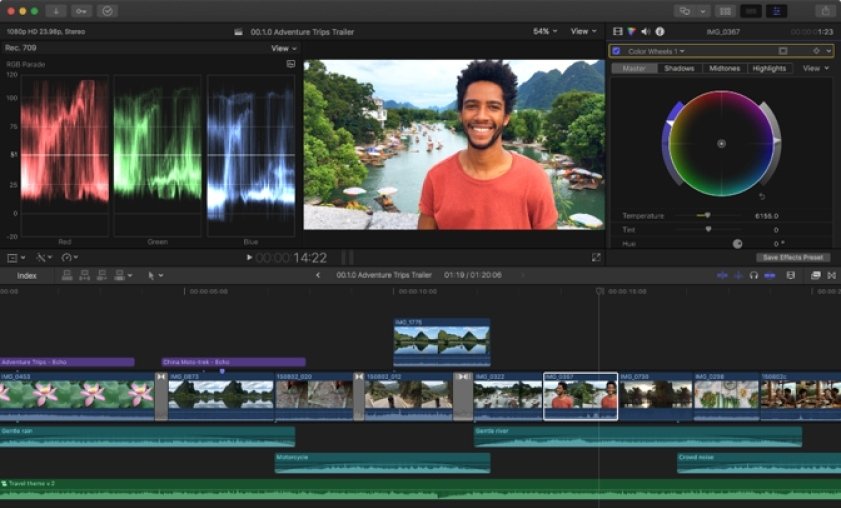
Best for: tech bloggers who edit iPhone or pro-camera footage for YouTube on a Mac.
Price and platforms: Mac. 90-day trial, then a one-time $299.99.
Why we picked it: Final Cut Pro is professional editing for the Apple ecosystem, aimed at near-professional editors on Mac. Its usual jobs are iPhone and pro-camera footage for YouTube and film and commercial editing on Apple hardware, which suits a review channel that wants the same look from the first shot to the closing title.
Key features:
Pros:
Cons:
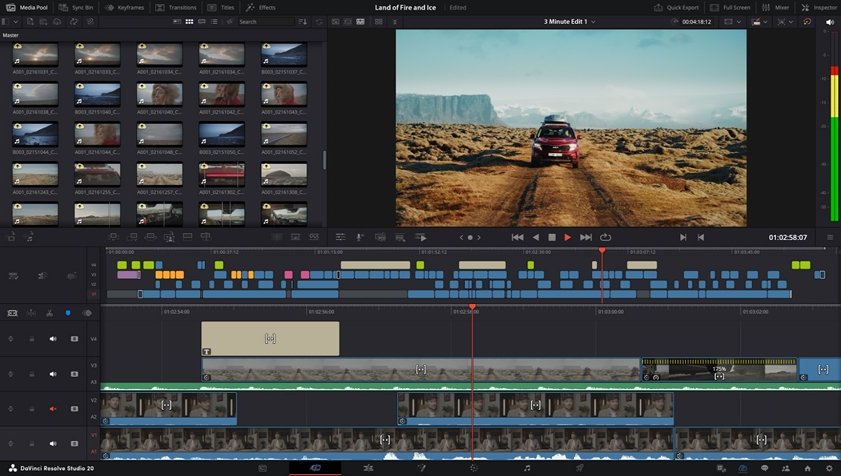
Best for: experienced editors, including tech bloggers, who want film-grade color grading on their closing shot.
Price and platforms: Windows, macOS, and Linux. Free base version; Studio is a one-time $295.
Why we picked it: DaVinci Resolve is a professional tool split into modules: Edit, Color, Fairlight for audio, and Fusion for VFX. The sources record no ready-made intros, outros, or video templates, so you build the closing yourself and can save your own presets (Power Bins) for the next upload.
Key features:
Pros:
Cons:
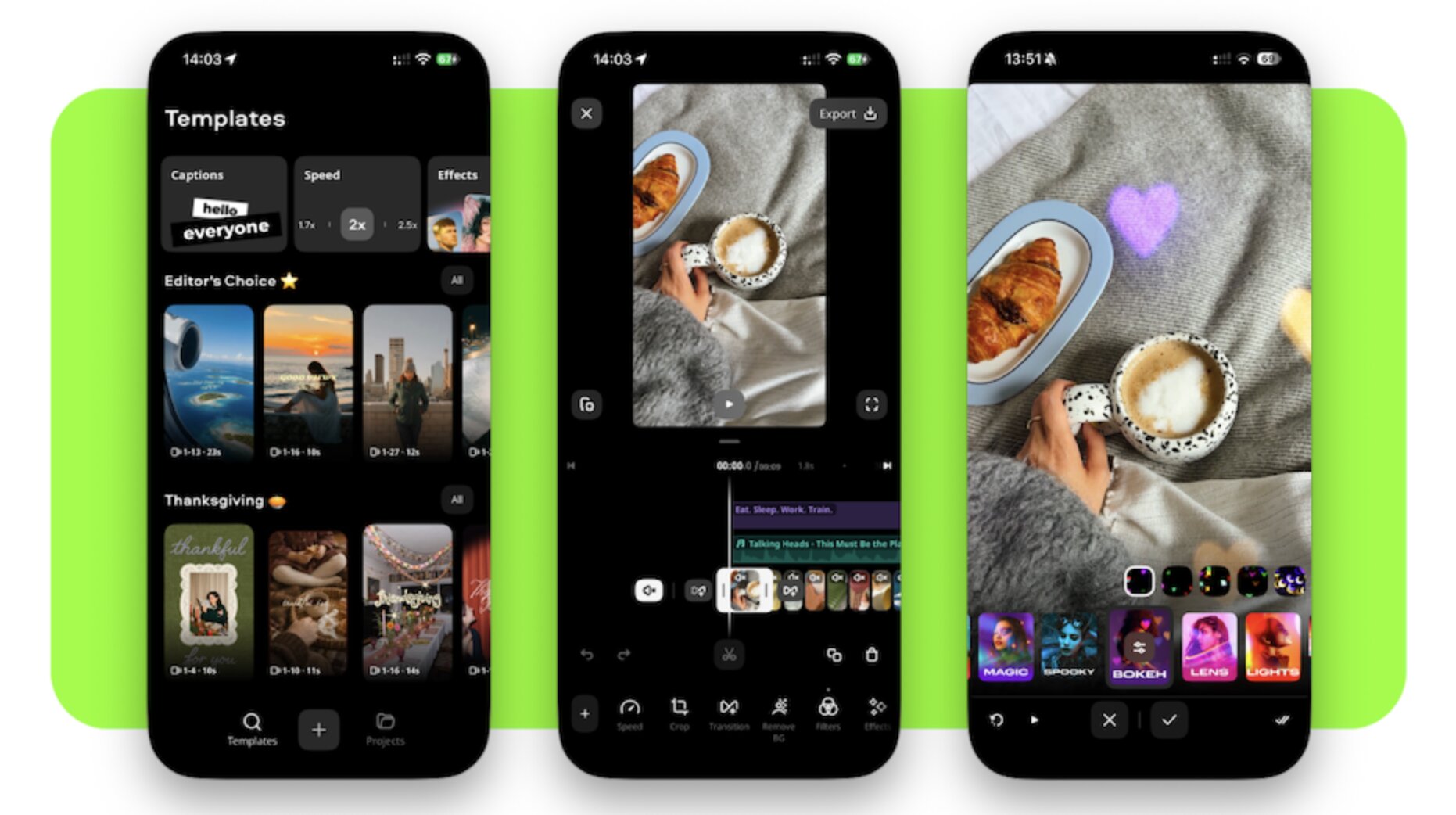
Best for: lifestyle creators who build social reels on an iPhone.
Price and platforms: iOS. Free to download, with in-app purchases; subscription prices run from $1.99.
Why we picked it: Movavi App is a mobile video and photo editor for social media reels, with pre-designed templates and trending effects. It puts your closing seconds on iOS, with outro-specific tools and templates.
Key features:
Pros:
Cons:
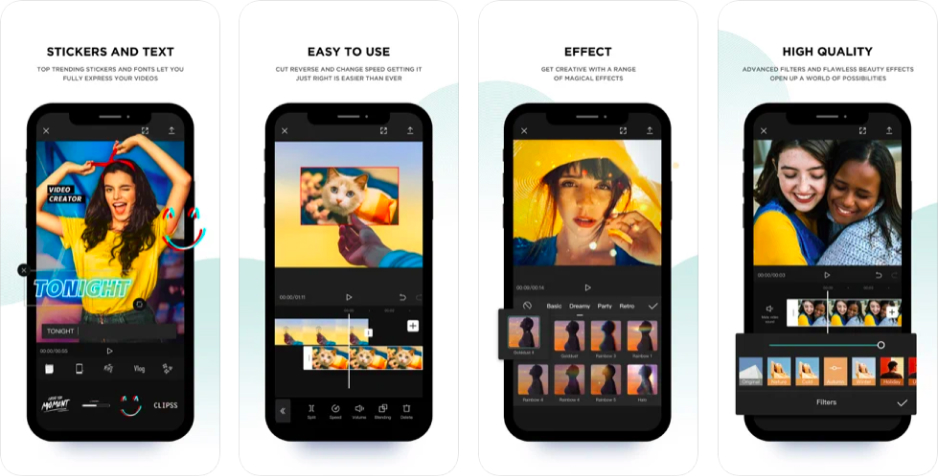
Best for: Lifestyle vloggers who post Shorts and Reels and want a quick closing on a phone.
Price and platforms: mobile, web, and desktop. Free tier; Standard from $9.99 a month and Pro at $19.99 a month.
Why we picked it: CapCut is a mobile-first editor for short, trending videos, and it’s part of the TikTok ecosystem. It covers intros and outros, and its template library leans toward vertical video.
Key features:
Pros:
Cons:
Starting from zero on a PC or Mac, go with Movavi Video Editor: the outro begins as a template, and the work left is filling Blocks with your own footage and text. On a phone, begin with Movavi App on iOS or with CapCut. If your edit lives in a browser, Adobe® Express® suits animated outro cards and Kapwing suits tutorials that need subtitles. When color matters most and you’re ready for a steep climb, pick DaVinci Resolve; on a Mac, Final Cut Pro is the Apple-only option.
Pick one, build the closing once, and if you’re on Movavi Video Editor, save the finished outro as a project file so every upload can end with your own sign-off.
Yes. In Movavi Video Editor, a Block can be an intro-type segment, and the media import also offers built-in sample videos, backgrounds, and intro videos, so both ends of a video can live on one timeline.
Movavi Video Editor runs on Windows 10 and Windows 11 (64-bit) and on macOS 12.0 or higher. Filmora covers Windows and macOS, and DaVinci Resolve adds Linux.
Free tiers often add one. Movavi Video Editor’s full version exports without a watermark, while Movavi Video Editor Free adds it. CapCut, Filmora, and Kapwing add watermarks on their free tiers in some cases too.
Several tools here offer free video editing: Movavi Video Editor Free, iMovie, OpenShot, and the base version of DaVinci Resolve. Check each one’s limits before you commit.